
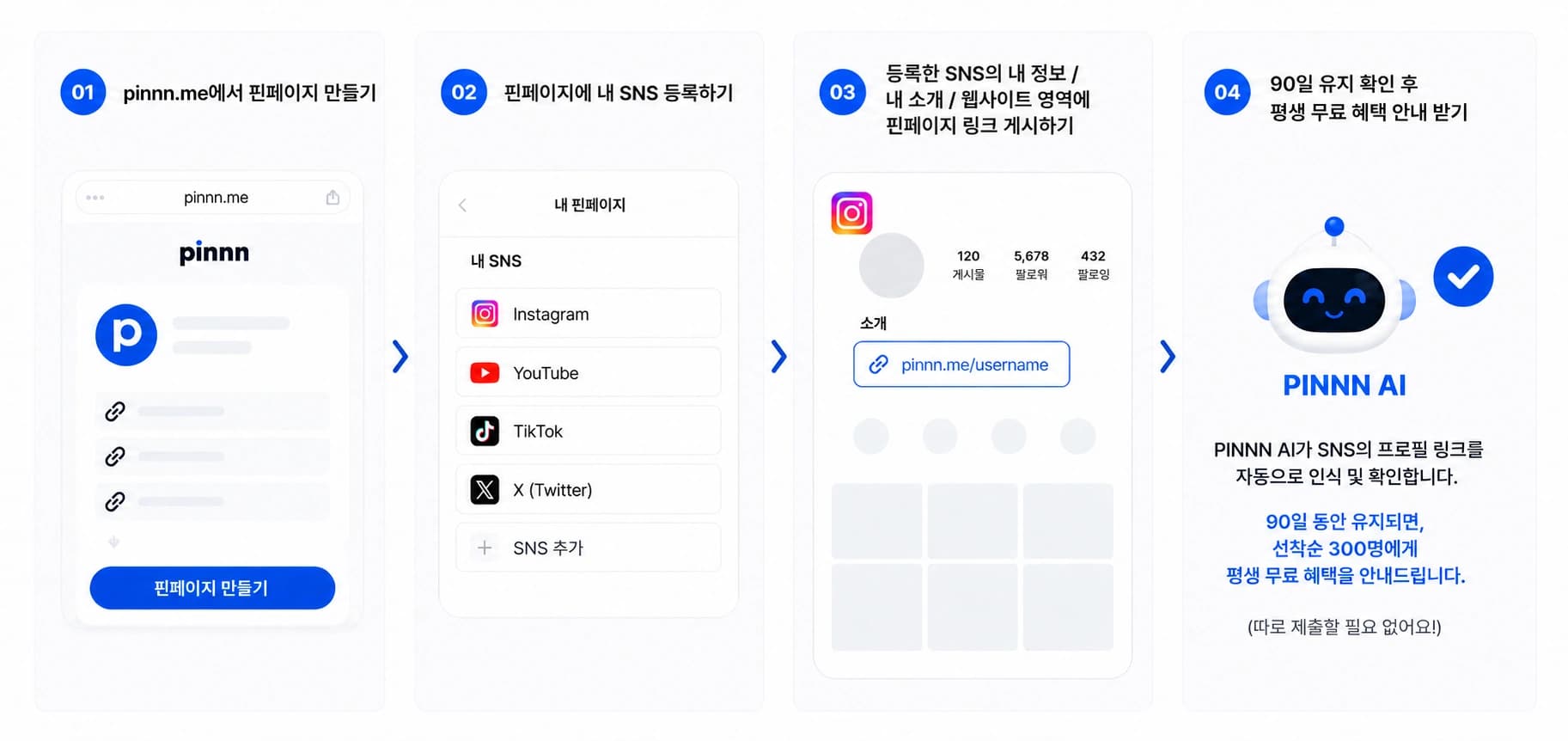
How to join
- Create a Pinpage on pinnn.me
- Add your social accounts to your Pinpage
- Add your Pinpage link to those accounts' bio, about, or website field
- Keep the link for 90 days to qualify for lifetime access
Who qualifies for the 300 places?
Places are based on when the requirements below are confirmed, not when you sign up.
- Pinpage created
- Your linked social accounts are publicly accessible
- Your Pinpage link is verified in those social profiles
- The verified link stays in place for 90 days
Frequently asked questions
Do I need a signup code?
No. Create a Pinpage and add its link to a social account listed on your page. Pinnn checks for the link automatically.
Where do I put the link?
Use the bio, about, website, or profile link field on an account listed on your Pinpage, such as Instagram, YouTube, TikTok, or your blog. Make Pinnn your main profile link.
When will I receive lifetime access?
Once your verified link has stayed in place for 90 days, we'll notify you if you qualify for one of the 300 places.